Uncategorized
Julia-1 Explained: How to Run the Open-Weight Decision Model
Learn what Julia-1 does, install its 144.3M-parameter open-weight decision model, run typed decisions in Python, and interpret its benchmark results and limits.

Julia-1 is an open-weight decision model. Give it a state, a question, and a small set of possible answers; it scores those answers and returns a structured decision.
That shape is useful when software needs to route a ticket, classify a request, or estimate urgency. A chat model can explain its answer in a paragraph, but an application often needs one known label that it can check and use.
This guide explains how Julia-1 works, how to run it with Python, and what its published benchmark numbers do—and do not—tell us. It also compares a local Julia-1 setup with a hosted Jev workflow.
What Julia-1 is
Imagine a store receives a message about a late delivery. The order system already has the message and order details. It only needs to choose whether the case belongs to shipping, billing, or account support.
Julia-1 accepts that information as a state, then evaluates a question against the answer choices supplied by the application. The result is a selected option and probability scores. Your code still decides whether to open a ticket, request a review, or take another action.
The Julia-1 checkpoint has about 144.3 million parameters. It starts from JHU CLSP’s multilingual mmBERT-small encoder and adds a decision head that scores candidate answers. It is an encoder-based model for bounded decisions, not a text generator or a general chat assistant.
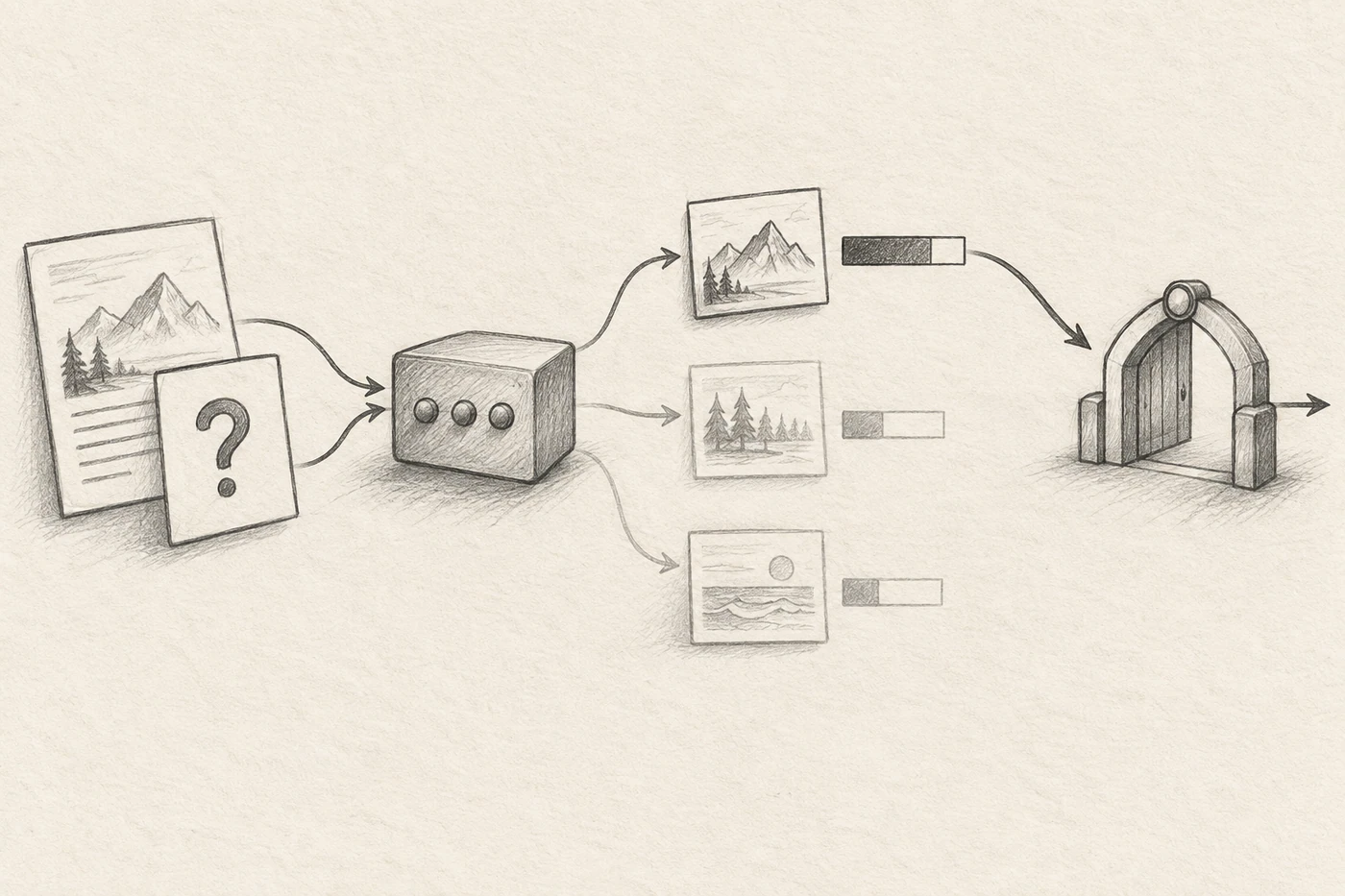
The model card describes three kinds of decision:
- choice selects one named option, such as shipping or billing.
- score returns an expected zero-based position on an ordered rubric, such as routine, urgent, or blocking.
- noul returns the probability that a clearly stated yes-or-no proposition is true.
A native question accepts 2 to 20 options. Named questions can be sent together and are returned under the IDs your code supplied. Probability values help compare candidates; they are not a guarantee of correctness. Test whether they work for your own thresholds before letting them trigger customer-facing or irreversible actions.
Install Julia-1 locally
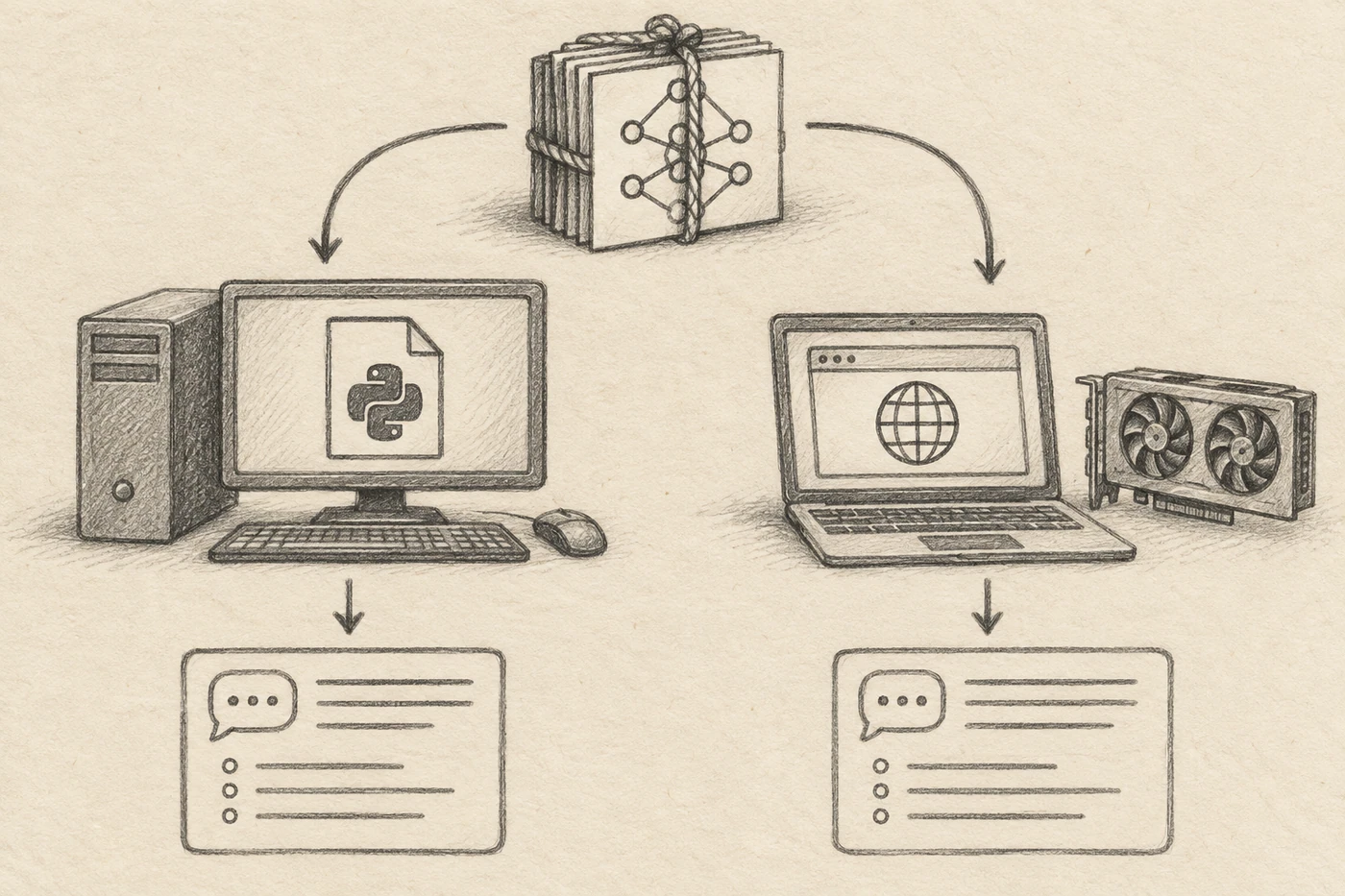
Julia-1 runs on Python 3.11 or later and supports CPU inference, so a GPU is not required to begin. The model checkpoint is about 550.5 MiB. The process also needs memory for the tokenizer and inference activations.
The Hugging Face repository includes model files and Python runtime code. Download the full snapshot before installing its local package:
python -m pip install huggingface_hub
python -c "from huggingface_hub import snapshot_download; snapshot_download('SupersonicLabs/Julia-1', local_dir='Julia-1')"
python -m pip install -e ./Julia-1
This downloads the actual weights, not just a small package that fetches the model during inference. Keep the complete folder and install from it. Julia-1’s model artifacts are published under Apache-2.0; the private training pipeline is not included.
Make a typed decision in Python
Once the model is installed, load it once and reuse the engine across requests. Here is a small example that routes a support message:
from julia import load_model

engine = load_model(
    "Julia-1",
    device="cpu",
    strict_encoding=True,
    max_length=1024,
)

state = "The customer says the parcel has not arrived."

questions = {
    "team": {
        "type": "choice",
        "instructions": "Which team should handle this request?",
        "criteria": {
            "shipping": "Delivery tracking, delays, or missing parcels",
            "billing": "Charges, invoices, or refunds",
            "account": "Login and profile access",
        },
    },
}

result = engine.predict(state=state, questions=questions)
answer = result["answers"]["team"]

print(answer["choice"])
print(answer["probabilities"])
The criteria map gives each option an ID and a short meaning. Good descriptions make labels distinct; if your real workflow includes cases outside the listed teams, add a fallback such as other.
The example uses a 1,024-token input limit because the historical accuracy results in the model card were measured at that length. The current runtime supports longer inputs—up to 8,192 combined tokens for state, question, and options—and an 8,192-token CPU smoke test is reported. Task accuracy at that longer length has not been established. With strict encoding enabled, an oversized request is rejected instead of silently shortened.
For more than 20 choices, the repository describes a hierarchical router that groups and narrows options. That can help operationally, but it is not a single native decision over every label. The final probabilities cover the remaining candidates, not one global set. Test the full routing path if you use it.
Julia-1 and Jev AI compared
Julia-1 and Jev AI both offer a decision-shaped workflow: provide context and ask for a typed result. The main difference is where the model runs and who maintains the inference service.
| Julia-1 | Jev through Jev AI Model | |
|---|---|---|
| Model access | Downloadable open weights | Hosted model; Jev AI Model does not distribute its weights |
| Running it | Python on your own CPU or GPU; a separate ONNX project supports browser WebGPU | Browser Playground and hosted API |
| Setup | Download roughly 550.5 MiB of weights and maintain the runtime | Sign in for browser use, or configure an API key |
| Cost and operations | No hosted inference charge when self-hosted, but hardware and operations still cost money | Signed-in Playground use is free; API calls use paid credits |
| Control | Choose your host and manage the model files | Let the hosted service manage inference |
For a quick browser trial, Jev AI Model offers a free Playground after sign-in; application API calls use paid credits. It is an independent hosted service for accessing Jev, not the Julia-1 publisher or model developer.
Julia-1 may suit a team that needs downloadable weights, local execution, or direct control of the model runtime. A hosted service may be simpler when the goal is to test a decision workflow without first downloading a half-gigabyte checkpoint. These are deployment tradeoffs, not evidence that the two models will make the same predictions.
How to read the Julia-1 benchmarks
The Julia-1 model card reports results measured on September 24, 2026, using H200 BF16 inference with strict encoding. It lists different tasks and datasets, so one headline number cannot describe every language or workflow.
| Evaluation | Julia-1 result | What the test represents |
|---|---|---|
| Typed decisions | 73.15% (1,463 / 2,000) | 400 cases with five typed questions each |
| MASSIVE scenario classification | 71.50% macro accuracy across 52 locales | 18 scenario labels; not intent classification or slot filling |
| AG News pilot | 94 / 100 | Four labels in a 100-example pilot |
| DAIR Emotion pilot | 86 / 100 | Six labels in a 100-example pilot |
| Banking77 pilot | 64 / 100 | 100 examples; 72 labels ranked through a top-16 shortlist |
The model card also displays Jev comparison references beside some results: 72.70% for typed decisions, 91% for AG News, 48% for Emotion, and 87% for Banking77. The card says these are supplied references, not a new Jev run. The pilot sets are small, and Banking77’s 72 labels were handled through a shortlist rather than one native 72-option request. Treat the numbers as evidence about those specific tests, not a universal model ranking.
A useful evaluation for your own application should use the exact Julia-1 checkpoint, language, state format, options, and hardware you plan to deploy. Keep a held-out set, inspect errors by class, and record latency and memory on your own machine. For important workflows, include ambiguous examples and define when a person should review the result.
Where Julia-1 fits—and where it does not
Julia-1 is designed to compare answers that you provide. Do not expect it to find missing facts, write an explanation, solve a multi-step calculation, or know a business rule that is absent from the state and criteria. Its strengths and limits follow from that interface.
Start with a small number of distinct choices. Write their descriptions in plain language, use an other option where appropriate, and make sure the state contains the information needed to decide. Then test easy and ambiguous cases against labels created by people who understand the workflow.
The model artifacts are open under the license listed in the Julia-1 model card, but open weights transfer work to the team running them: downloads, compute, monitoring, updates, and access control. The separate Julia-1 ONNX repository provides a WebGPU path for browsers; it uses the same model weights in a different runtime and requires compatible browser hardware.
Julia-1 is a compact way to experiment with structured classification and routing. Before production use, measure it on your own cases and keep the final business action in application code.
Sources checked: September 27, 2026. Benchmark dates refer to the evaluation described in the model card; checkpoint settings and runtime details may change.